Invoicing and Payments
Transaction Overview
As part of our regular settlement & invoicing processes, you receive a detailed transaction overview for each booking and cancellation made with your API credentials.
For easier reconciliation, we enable you to pass your own booking number (parameter retailer_booking_number) in your /reservations/confirm or /bookings/create request, which will be added to the respective booking in the transaction overviews. We can also send through a daily transaction overview at request.
For an example transaction overview, please see this sheet.
It is possible to hide all customer data on the transaction overview. With this functionality activated the following fields are hidden: customer title, customer first name, customer last name, customer street, customer city, customer zip code, customer phone number, customer e-mail address, passengers, customer flight number, discount code, extras, agent. Contact your Partnership Manager to request these fields to be hidden from your transaction overview document.
Self Billing Invoice
Along with the transaction overview, Distribusion will also send an invoice detailing our commissions, see example below. Invoices are distributed in the first few days of the following month, i.e. January's invoice will be received between 1st - 3rd February.
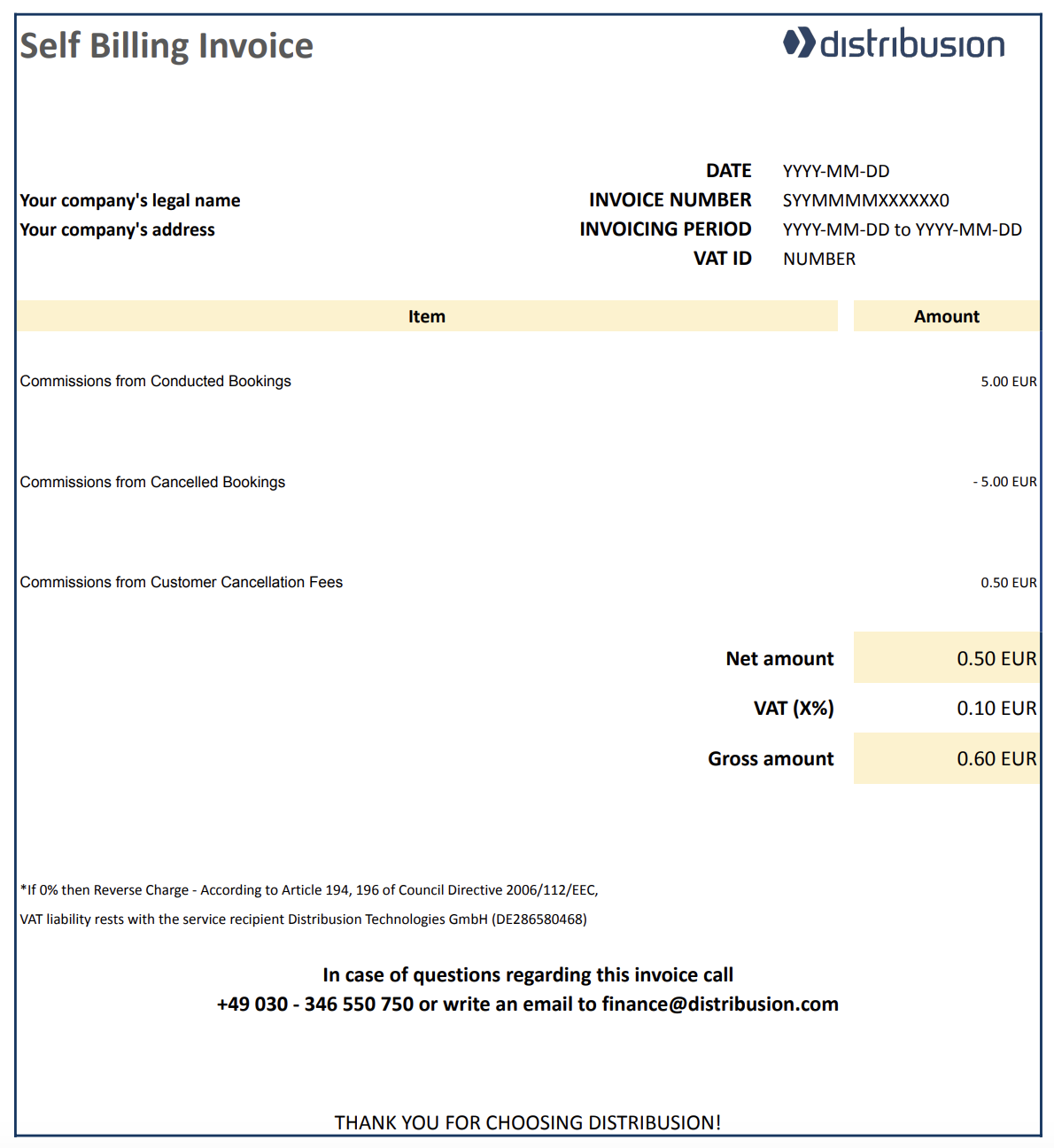
- Commissions from Conducted Bookings: Refers to ticket price x commission rate
- Commissions from Cancelled Bookings: It is a negative value and refers to ticket price x commission rate
- Commissions from Customer Cancellation Fees: Refers to customer cancellations fee x commission rate
Demand Note
Distribusion will also regularly send a demand note, which outlines what is owed to a given carrier:
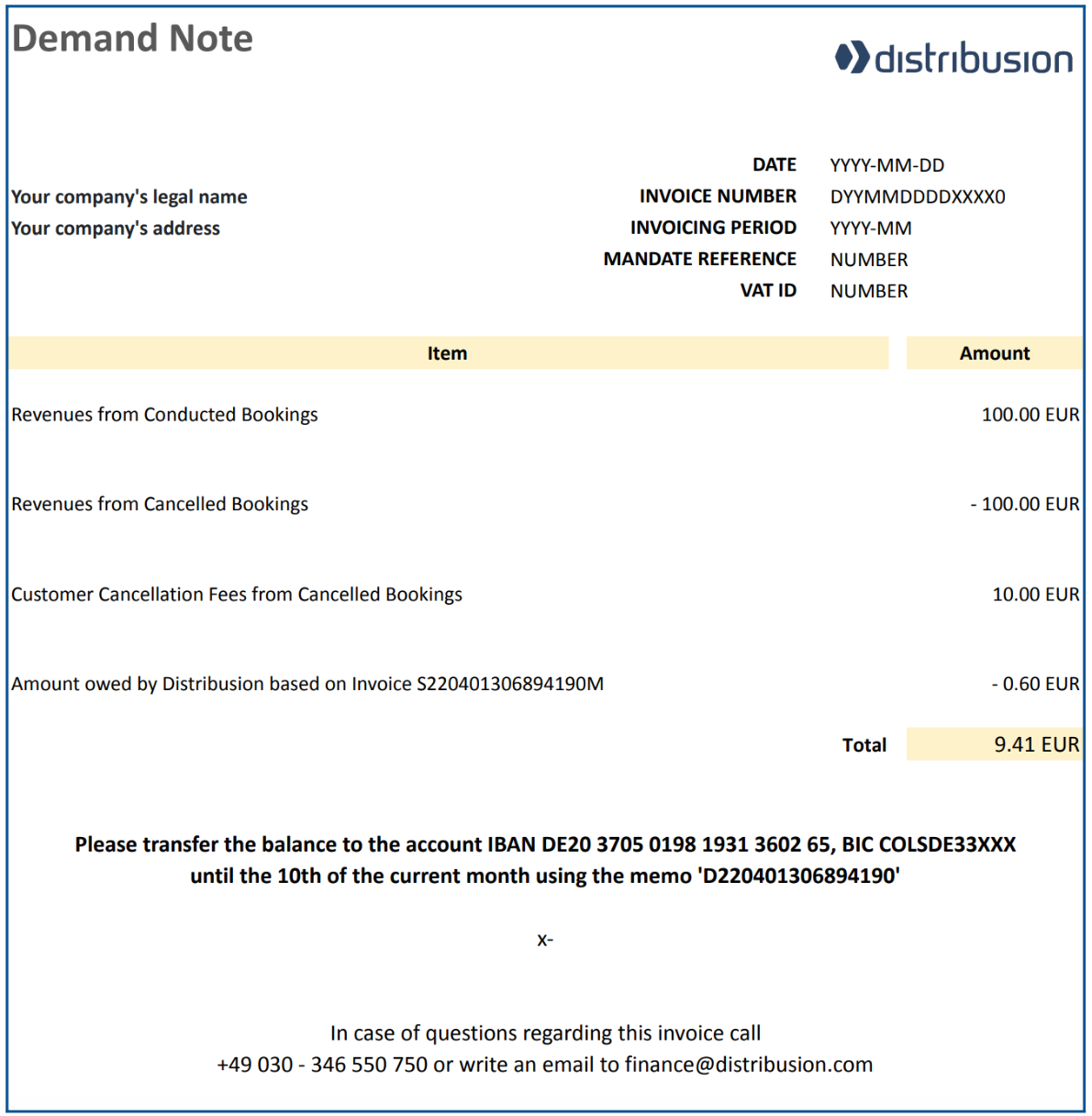
- Revenues from Conducted Bookings: It is the total ticket price value of booking transactions
- Revenues from Cancelled Bookings: It is a negative value, refers to the total ticket price value of cancellation transactions
- Customer Cancellation Fees from Cancelled Bookings: It is the total value of customer cancellation fee value, in which customer cancellation fee is ticket price - refund amount
- Amount owed by Distribusion: It is a negative value, refers to the amount from the Self Billing Invoice


On this page
- Invoicing and Payments