Custom Domain
When using Distribusion Online booking engine you can set up your custom domain. As you own the domain, please follow the steps to make it work.
Distribusion Online Booking engine as your main website
Example: www.your_domain.com
- Send the domain you want to set up to your point of contact at Distribusion. Stop here for now until your point of contact at Distribusion confirms that the preconfiguration has been done on Distribusion side.
- Login into your domain hosting account (example, GoDaddy, …). Please make sure you only do this once you are ready to go live with the Distribusion Online Booking Engine.
- Once there, go to your domain DNS management section (or record editor). Here you have two examples of how it should look. Please keep in mind the interface may be different depending on your domain hosting.
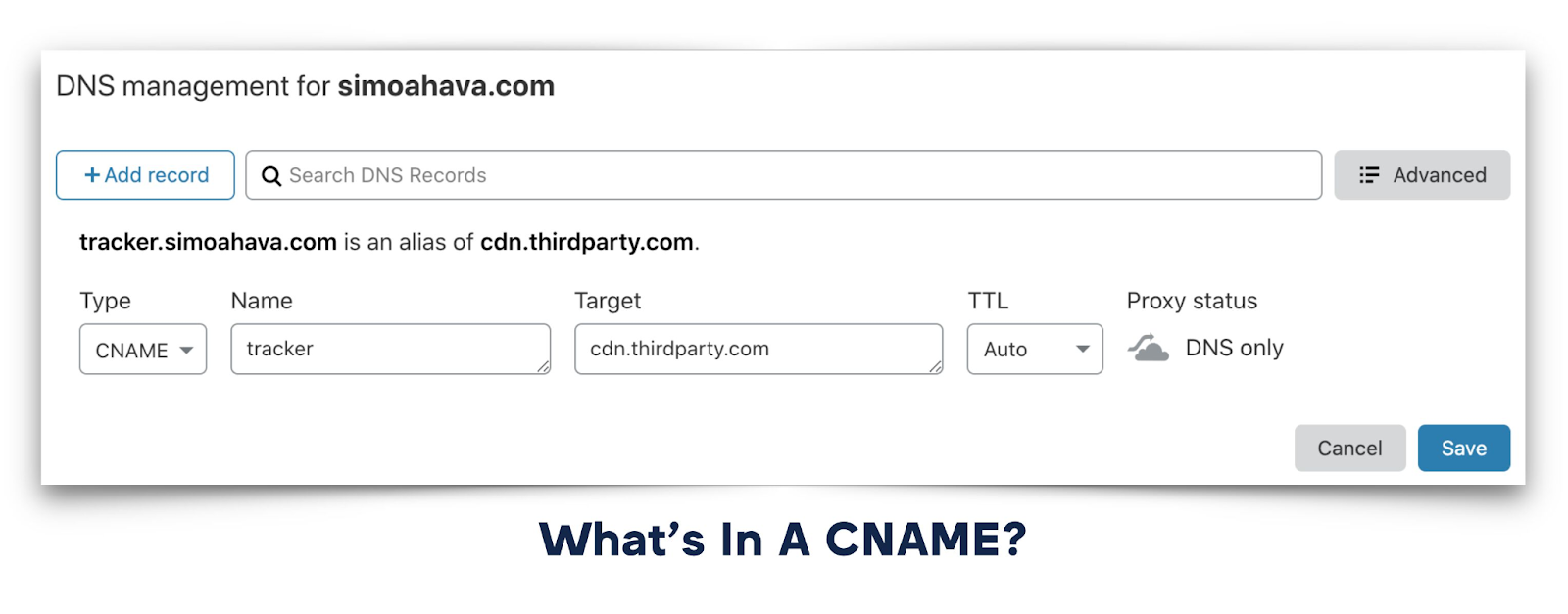
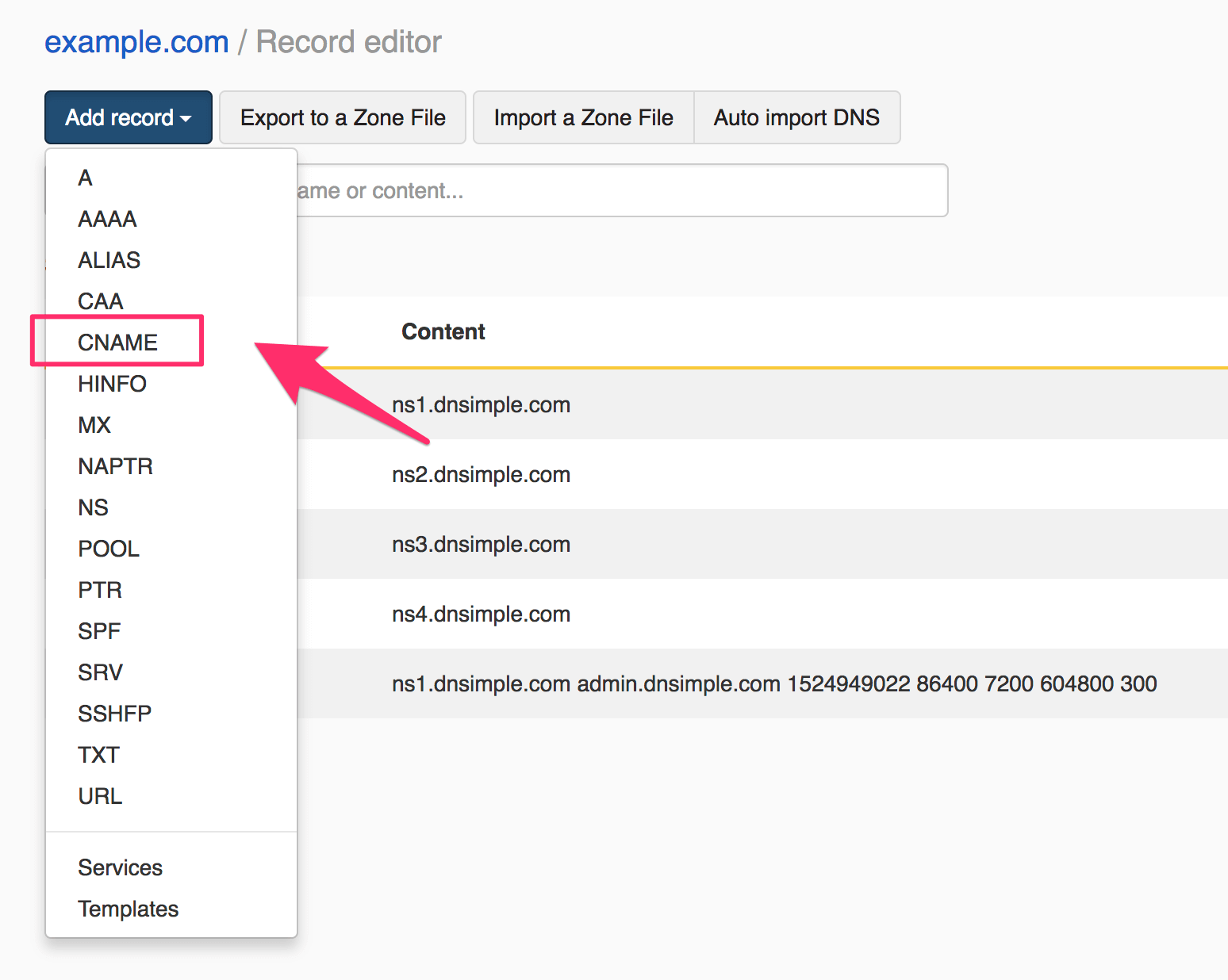
4. Once there, add a record with the following information:
- Type: CNAME
- Name (or Host): www
- Target (or Destination): book.distribusion.com
Sometimes the target (or destination) might need a dot at the end, like this: book.distribusion.com.
5. Once this has been done, please go here and add your domain:
https://www.nslookup.io/domains/book.transport-ticket.com/dns-records/cname/
If it looks like this then you are done.

Distribusion Online Booking engine as booking engine only
Example: book.your_domain.com
- Decide which subdomain you are going to use, for example: book.your_domain.com or tickets.your_domain.com.
- Login into your domain hosting account (example, GoDaddy, …). Please make sure you only do this once you are ready to go live with the Distribusion Online Booking Engine.
- Once there, go to your domain DNS management section (or record editor). Here you have two examples of how it should look. Please keep in mind the interface may be different depending on your domain hosting.
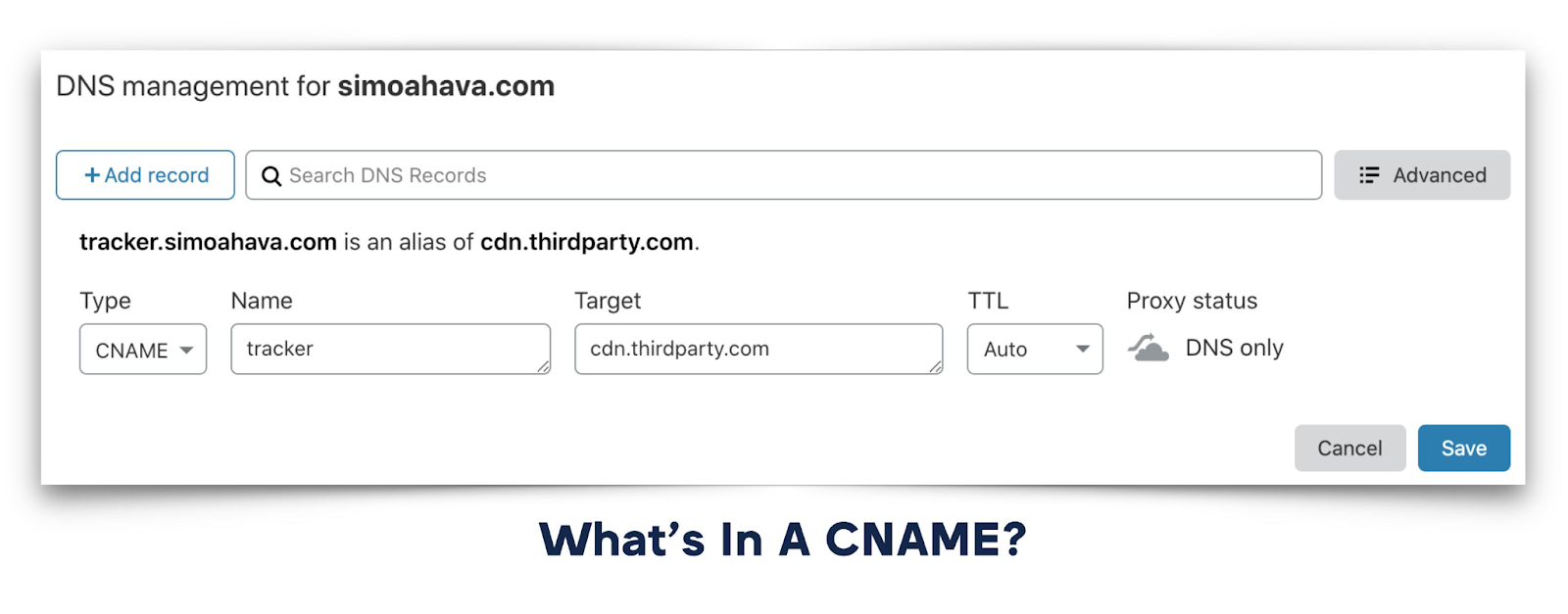
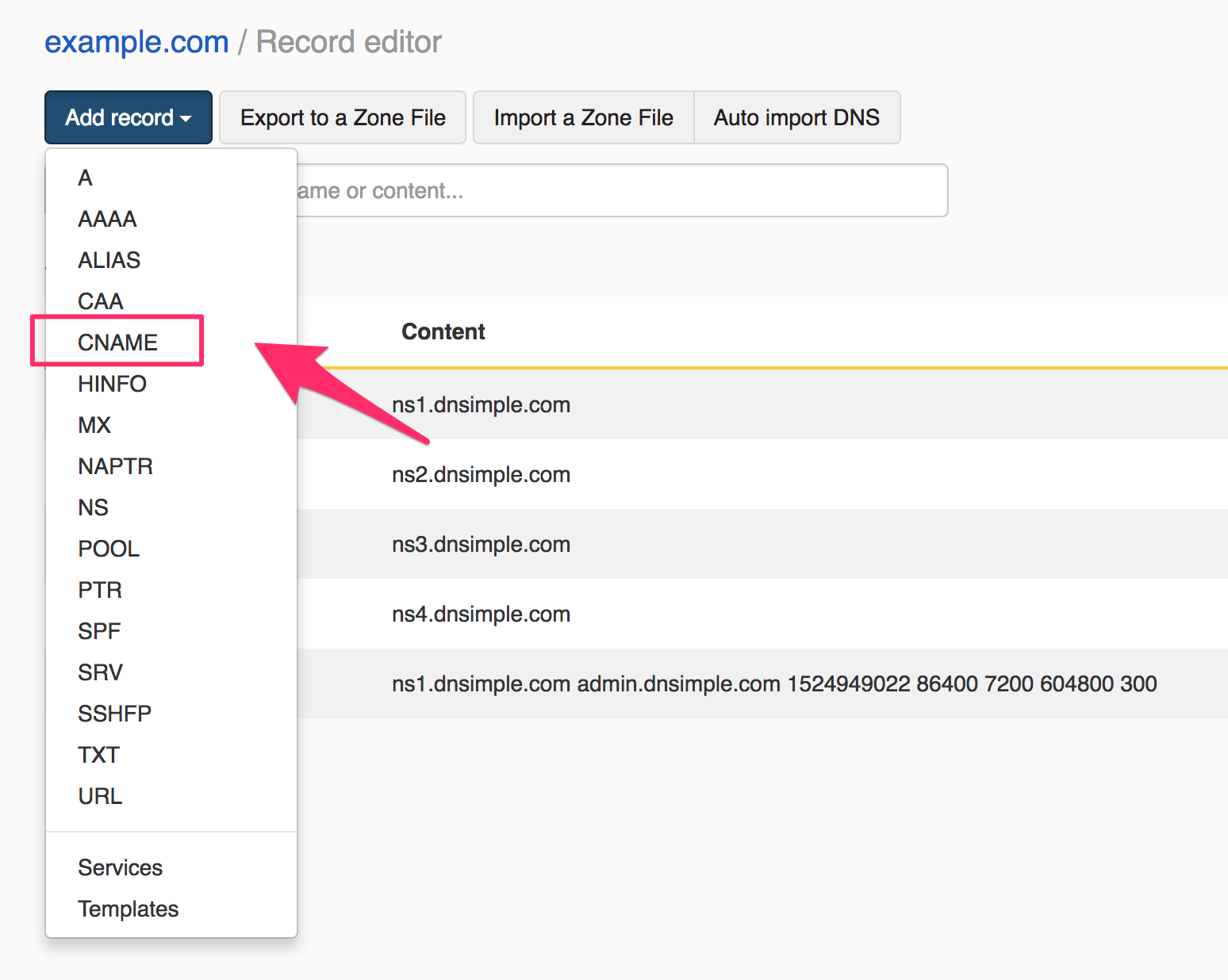
4. Once there, add a record with the following information (on the name add the domain you have decided):
- Type: CNAME
- Name (or Host): book.your_domain.com
- Target (or Destination): book.distribusion.com
Sometimes the target (or destination) might need a dot at the end, like this: book.distribusion.com.
6. Once this has been done, please go here and add your domain:
https://www.nslookup.io/domains/book.transport-ticket.com/dns-records/cname/
If it looks like this then you are done.

7. Send your subdomain to your point of contact at Distribusion. Distribusion will do the final configuration for the go live.


On this page
- Custom Domain