Ticket Types
The majority of carriers accept tickets to be displayed on mobile devices, which is what users are accustomed to. The parameter ticket_printing_required in the /marketing_carriers/{marketing_carrier_id} endpoint enables you to see which carriers do not need their tickets to be printed. We recommend surfacing this to your customers with an icon or text.
PDF Tickets
For the wide majority of available carriers, successfully delivered tickets follow Distribusion’s standard ticket template. Please refer to the example below.
In some selected cases, carriers accept only their own ticket format, which is then passed through the API in place of the regular Distribusion template. Regardless of which of these two options is true for a certain booking, all tickets for one booking are returned within one PDF file.
For multi-segment trips (i.e. with a stop-over), one ticket is delivered per segment. All pages are still delivered within a single PDF file.
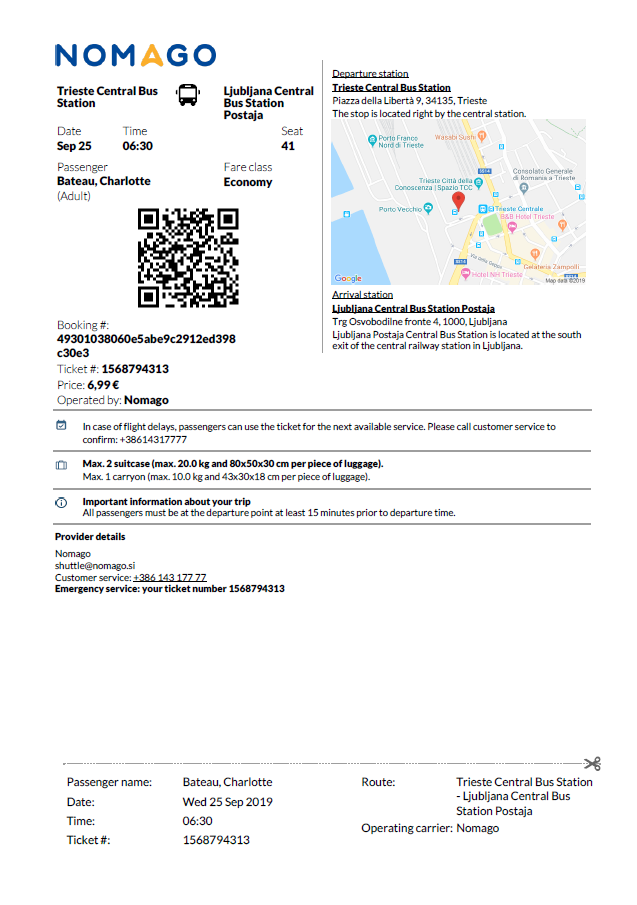
By default, when calling the /bookings/{booking_id}/tickets endpoint the tickets are returned in PDF format. You can also include the parameter type=pdf.
https://api.demo.distribusion.com/retailers/v4/bookings/8qbBSBst2XH39afW2WzAfQ/tickets?type=pdfDistribusion tickets can also be displayed on mobile devices, so we encourage you to let customers know that they do not need to print their tickets. In rare cases, carrier tickets can be print-at-home tickets which is indicated directly on the ticket itself. To know if printing is required, check the field ticket_printing_required in the /marketing_carriers/{marketing_carrier_id} endpoint.
Provisional Tickets
For some carriers such as Trenitalia, Eurostar and ÖBB (coming soon) a ‘provisional’ ticket is delivered via /bookings/{booking_id}/tickets endpoint. In each case, instructions on how to get the final ticket are provided in the provisional ticket.
Trenitalia
Tickets deliverd by Trenitalia for their regional network are not valid for travel. This is stated directly on the PDF ticket as seen below.

In such cases, the booking confirmation email delivered by Distribusion automatically includes this information. When using your own email format, passengers must be informed in the body of the booking confirmation email and a link to the Trenitalia website where the permanent ticket can be retrieved must be included. See example of implementation below:


The link to the Trenitalia website fom the "Open Barcode" button is built using this format:
https://www.lefrecce.it/Channels.Website.WEB/#/user-area/purchase/ticketDetail?email={email}&operation=filter&pnr={marketing_carrier_passenger_id}
The passenger email and marketing_carrier_passenger_id are available from the /bookings/{booking_id} response.
https://www.lefrecce.it/Channels.Website.WEB/#/user-area/purchase/ticketDetail?email=johnsmith@email.com&operation=filter&pnr=7685209697
Eurostar
While booking Eurostar tickets for London ←> Europe journeys passengers get the provisional ticket in case the request to /reservation/create includes the minimum passenger required fields.
 "passengers": [
        {
            "type": "PNOS",
            "first_name": "John",
            "last_name": "Smith"
        }
    ]
In this case, passengers have to login to the Eurostar website to complete the missing details and retrieve the final valid ticket. Instructions and a link are provided directly in the PDF ticket.

You can also include a link to the Eurostar website in your booking confirmation email, in this case it is a static link: https://staging.eurostar.com/customer-dashboard/en/get-booking?market=uk-en.
To avoid giving provisional tickets to your customers, request all their details in your checkout page and include the details in the /reservation/create request.
 "passengers": [
        {
            "type": "PNOS",
            "first_name": "John",
            "last_name": "Smith",
            "birthdate": "1994-11-29",
            "gender": "M",
            "government_id_type": "national_id",
            "government_id": "123456781",
            "government_id_issuing_country": "US",
            "government_id_validity_expiration": "2035-01-01",
            "nationality": "DE"
        }
    ]
Mobile Wallet Tickets
In addition to the PDF tickets described above, some carriers support mobile tickets in PKPASS and Google Wallet formats.
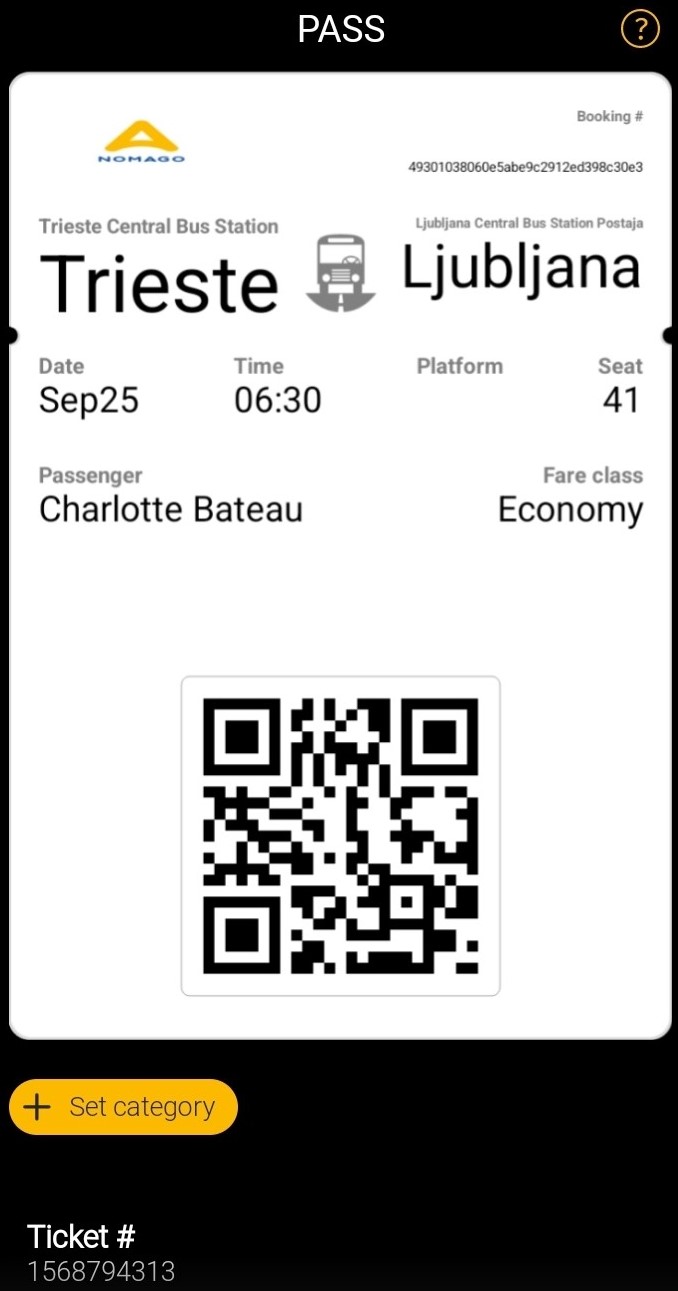
Whether a carrier supports mobile tickets or not can be identified by checking the following parameters in the /marketing_carriers/{marketing_carrier_id} endpoint.
has_mobile_tickets= PKPASSgoogle_wallet_tickets_enabled= Google Wallet
We recommend that based on what is supported by each carrier you can dynamically call the /bookings/{booking_id}/tickets endpoint to retrieve the required ticket. For PKPASS include the parameter type=pkpass and for Google Wallet include the parameter type=google-wallet. See sample of request below.
https://api.demo.distribusion.com/retailers/v4/bookings/8qbBSBst2XH39afW2WzAfQ/tickets?type=pkpassFor PKPASS, note that after you download the file via that link that is included in the response you must add the file extension .pkpass at the end. See a sample of PKPASS response below.
 {
    "data": [
        {
            "id": "fc1b5cf3-c110-4a0b-838b-7c3a60a23c0a",
            "type": "tickets",
            "attributes": {
                "url": "https://storage.googleapis.com/distribusion-next-13-prod-mobile-tickets/tickets/1729807200/ZNV81C/fc1b5cf3-c110-4a0b-838b-7c3a60a23c0a?GoogleAccessId=passta%40distribusion-next-13.iam.gserviceaccount.com&Expires=1730126436&Signature=BOM9hZuyeKVjOfkrAbJVGhg9GK9CPie20vyH1AD4xoNXjuZijpvV2F5UQ2ZKeZ4NL6RjA78FQ8Z9YLimv6bxlyHkfj%2BUTeR9QUU6QswSoAzd18E9gWQPen3CEARuxdXI1CP5i6lP%2FeMKOKBCbrKoP%2B32QO7y%2FO7C1XYuhTESp2WGcSiqXaUaWI03z0FA7G05e2NBbvLAi1UZoXYjOq0B8ls2fnLjedBZG4WOeUDAYeAiJ%2BZROEHssFfP7ZNmjtvWiWJvyDYPMiEiB87nqPeyWVgG73hduUu5hbK7l4pRLxqdCVPHOO7FmMptQX6%2BawhMAWoPNSQ4HiXlefjp1mstBw%3D%3D",
                "url_valid_until": "2024-10-28T16:40:36.228+01:00",
                "state": "created"
            }
        }
    ],
    "jsonapi": {
        "version": "1.0"
    }
}
Other Formats
Besides PDF, PKPASS and Google Wallet, some carriers also support tickets in image ,html and qr-code-png .
Image Tickets
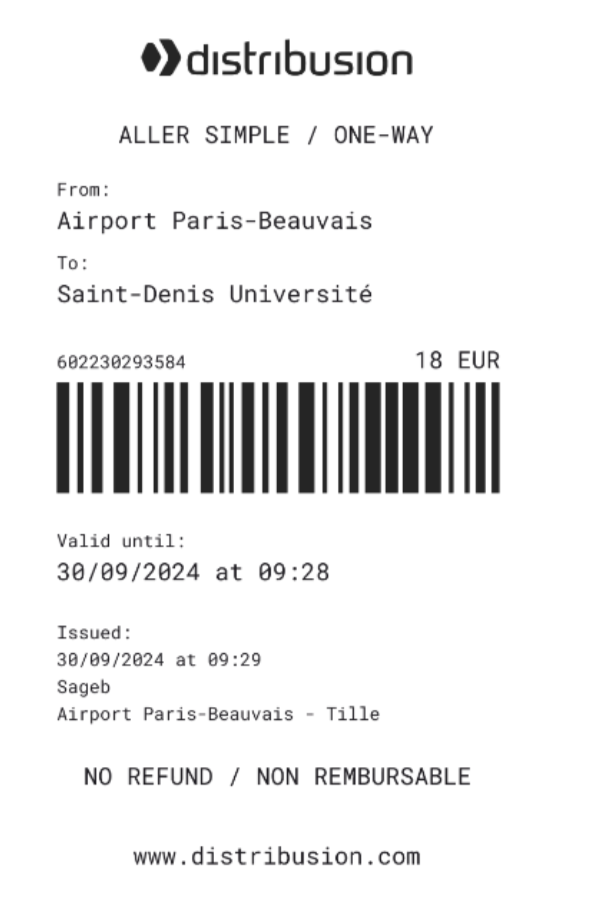
The image tickets are presented in the response as base64 so they must be converted from the base64 format to image. This can be done with a script such as Base64 Guru.
HTML Tickets
The HTML tickets are only available for tickets using the Distribusion standard ticket template.
QR Code Tickets
QR Code tickets are presented in the response as base64 so they must be converted from the base64 format to image. This can be done with a script such as Base64 Guru.

Examples of Tickets
For examples of single and return tickets in PDF and PKPASS download here.
For examples of some PDF tickets for various carriers view here.


On this page
- Ticket Types